

E-commerce Reporting in Sage 50 | Roveel
5 Top Tips for e-commerce reporting in Sage 50
- Use Generic Item Codes: Instead of typing free-text onto a Service Invoice, create a few generic product codes in your system (e.g., MISC_SERVICE or SHIPPING). Train your billing team to always select a code first, and then customise the descriptive text next to it. This gives your reporting tools a clean “file cabinet” to drop the data into.
- Audit Your Sales Nominals: If you see blank rows, run a quick transactional report on your sales nominal codes to see if manual journals or quick entries are being incorrectly posted directly to revenue accounts.
E-commerce businesses generate vast amounts of data every day. From marketplace sales on Amazon and eBay to direct website transactions via Shopify, every order contains valuable insights.
However, many small and medium-sized businesses struggle to convert raw accounting data into actionable commercial strategy. If you rely on delayed month-end finance reports, you are making decisions based on old information. Large corporate retailers use analytics to adapt quickly, and there is no reason independent online sellers should not do the same.
1. Monitor Sales Volume alongside Monetary Value
Focusing purely on overall revenue can give you a false sense of security. With recent economic shifts and rising costs, your total revenue might appear to be growing while unit sales are actually declining.
To get a true picture of performance, track quantity sold alongside pound value. Measuring physical volumes, whether in individual units, kilograms, or cartons, removes price inflation from the equation. This reveals whether a product line is genuinely growing or simply benefiting from price increases.
2. Leverage Analysis Fields to Track Multi-Channel Performance
Understanding performance across different sales channels is critical. A product range that struggles on Amazon might perform exceptionally well on eBay due to different customer demographics and lower competition.
Sage 50 offers custom analysis fields on product and customer records (up to six fields in modern versions). Use these fields to tag your catalog with key commercial metadata, such as:
-
Sales channel (Amazon, eBay, Webstore, Wholesale)
-
Product origin or supplier location
-
Packaging type or carton sizes
Instead of keeping all sales lumped together, custom analysis fields allow you to filter and compare performance by channel, region, or supplier.
If you use multi-channel management tools like Tradebox to sync online sales straight into Sage 50, maintaining structured analysis fields ensures every transaction posts with rich, reportable context. Read about our Tradebox partnership to see how automated data synchronisation transforms stock and financial management.
3. Go Beyond High-Level Margins down to Product Profitability
A high gross margin percentage does not always translate to high business value. A product line with a 90% margin that generates £50 in total gross profit contributes less to your overheads than a 35% margin product generating £50,000 in net contribution.
To manage cash flow and inventory effectively, evaluate your profitability on two levels:
-
1. Percentage Margin:
To ensure pricing structures remain healthy against rising cost prices.
-
2. Gross Profit Contribution:
To identify the top cash generators in your catalog.
Ensure your cost prices in Sage 50 are regularly updated, choosing the dynamic average cost or last cost method that best reflects your supply chain. Having accurate cost basis data allows you to group products by category and quickly identify declining ranges before they tie up working capital.
4. Track Promotions using Sage 50 Projects
Promotions, ad spend, and seasonal discounts are central to online retail. However, many sellers fail to track the true ROI of these campaigns because costs and sales live in different areas of the accounts.
A simple way to measure promotion performance in Sage 50 is by using the built-in Projects feature:
-
Assign a unique Project Code to every major marketing effort
such as Black Friday or a specific Google Ads campaign.
-
Allocate incoming promotional revenue
alongside associated supplier invoices, ad costs, and agency fees directly to that project.
-
Set clear start and end dates
to log campaign windows accurately.
This structure allows you to review past promotions year-on-year, compare ad spend against real profit uplift, and allocate your future marketing budget to campaigns that deliver genuine returns.
5. Share Actionable Insights with the Right Teams
Data is only useful if it reaches the people who can act on it. A finance team spotting a margin drop weeks after the accounting period closes cannot prevent lost revenue. Digital marketing specialists, inventory planners, and buyers need immediate visibility to make day-to-day decisions.
Just as a Formula 1 driver relies on real-time pit wall analytics to adjust performance during a race, your team needs direct access to operational metrics. Giving non-finance team members clear, visual insights allows them to adjust marketing budgets, reorder fast-moving stock, and pivot sales channels.
Transform Your Sage 50 Data with Roveel
While Sage 50 stores a wealth of transaction detail, native reporting can be static and time-consuming to compile manually.
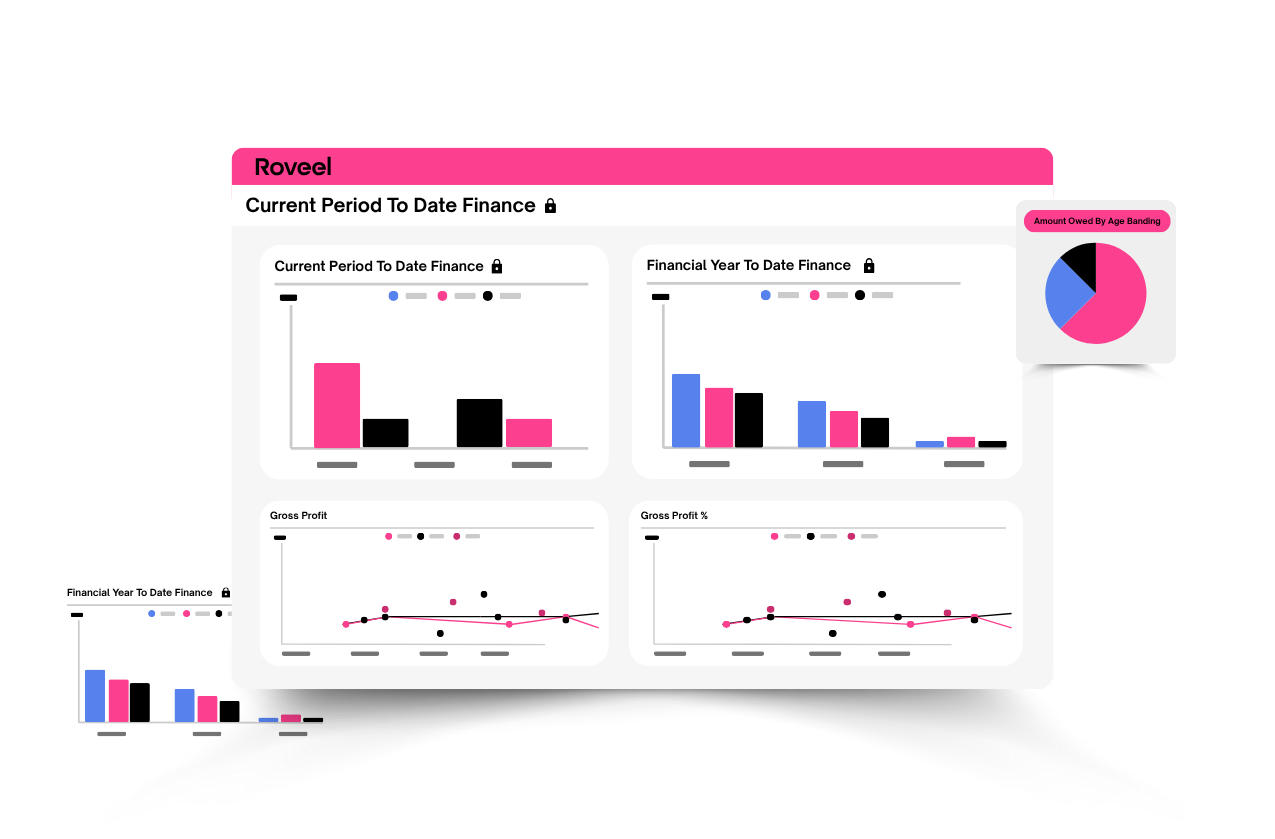
Roveel connects seamlessly to Sage 50, automatically extracting your audit trail and turning complex accounting records into clear, interactive dashboards. With instant visibility across sales performance, product profitability, cash flow, and project tracking, your team can make informed decisions in seconds.
Ready to see what your data can do? Start your free trial today and discover how Roveel for Sage 50 helps you unlock the full power of your e-commerce business.